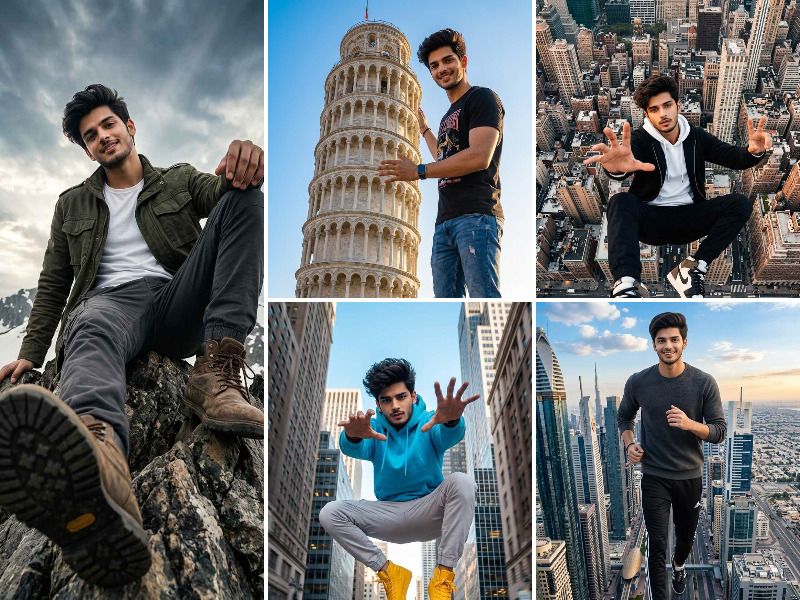
Hello friends, in this post I will share some trending Gemini AI prompts that will turn your photo into a giant massive statue that looks absolutely cinematic and unreal on Instagram.
This is one of those edits where you show it to someone and their first reaction is "bhai yeh kaise kiya?" The giant statue trend is blowing up right now and the results are genuinely mind blowing your photo gets transformed into a massive stone or metal statue standing in the middle of a city, a desert or even the ocean. All you need is one good prompt for Gemini AI and your simple photo becomes a piece of art.
Open Google Gemini, upload your photo and paste any Gemini prompt from below.
Common Mistakes to Avoid
- Using a blurry or dark photo The clearer your original photo the better the statue output. A blurry photo gives a messy result every time.
- Uploading a group photo Giant statue prompts work best with a solo photo. Group photos confuse the AI and the output rarely looks good.
- Expecting the first result to be perfect Sometimes the first generation is not great. Try the same Gemini AI prompt 2 to 3 times and pick the best output.
- Using a photo with a busy background A simple background in your original photo helps the AI focus on you and create a cleaner statue effect.
- Cropping your photo too tight Make sure your full body or at least your upper body is visible. A face only photo limits what the AI can do with the statue design.
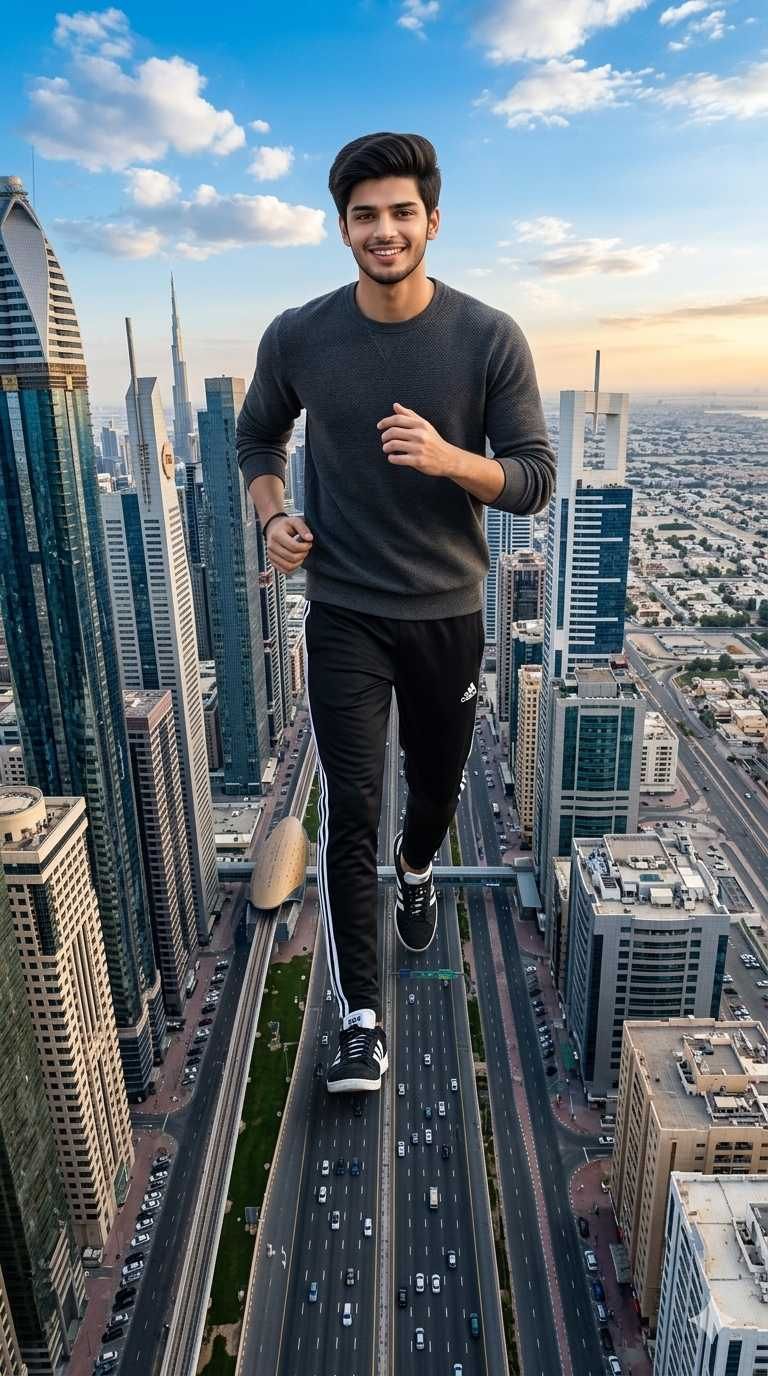
Create a 9:16 surreal cinematic photo of a real young man appearing as a giant running across a massive city highway at an extreme aerial bird's eye view angle, his body towering above skyscrapers and buildings below, wearing a dark grey crewneck sweater with black Adidas tracksuit pants and black and white Adidas sneakers, arms bent in a running motion, smiling expression, dark straight hair. The city below shows multiple lane highways with tiny cars, tall skyscrapers, and clear blue sky in the background. Dramatic forced perspective making the man look enormous compared to the city. Photorealistic and hyper-detailed composite. The face must be 100% identical to the face in the uploaded photo. Aspect ratio 9:16. Geminiaiphotoprompt.in
Premium Prompts Lounge


Photos that make you unforgettable.
Generate Unlimited Custom Photos with 300+ prompt templates.
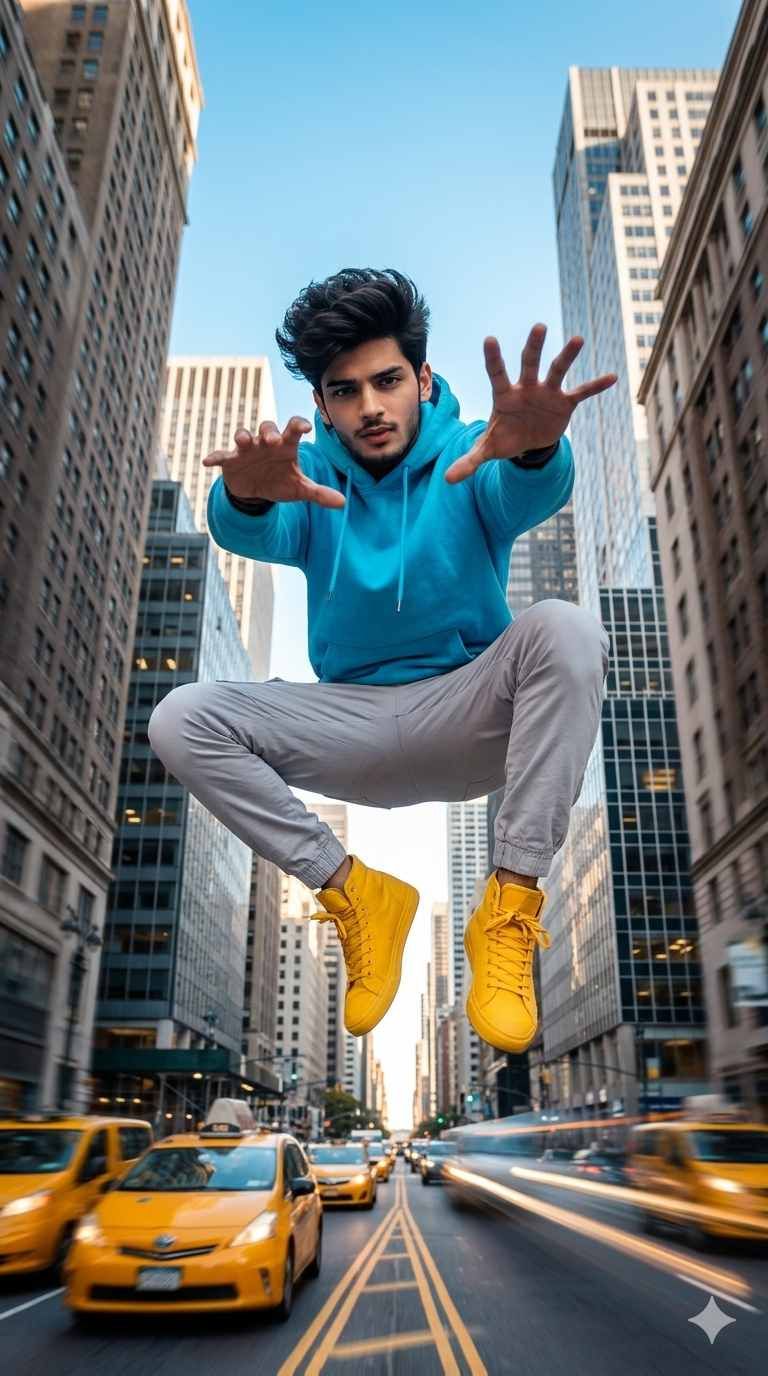
Create a 9:16 surreal cinematic photo of a real young man appearing to levitate and jump high above a busy urban city street between tall buildings, shot from a low angle looking up at him, body in a crouched mid-air position with one hand reaching forward toward the camera aggressively, wearing a bright cyan blue hoodie with light grey jogger pants and bold yellow high-top sneakers. The city street below shows blurred moving traffic, yellow taxis, and tall grey skyscrapers on both sides creating a dramatic urban canyon perspective. Strong motion blur and dynamic lighting. Photorealistic and hyper-detailed composite. The face must be 100% identical to the face in the uploaded photo. Aspect ratio 9:16. Geminiaiphotoprompt.in
Premium Prompts Lounge


Photos that make you unforgettable.
Generate Unlimited Custom Photos with 300+ prompt templates.
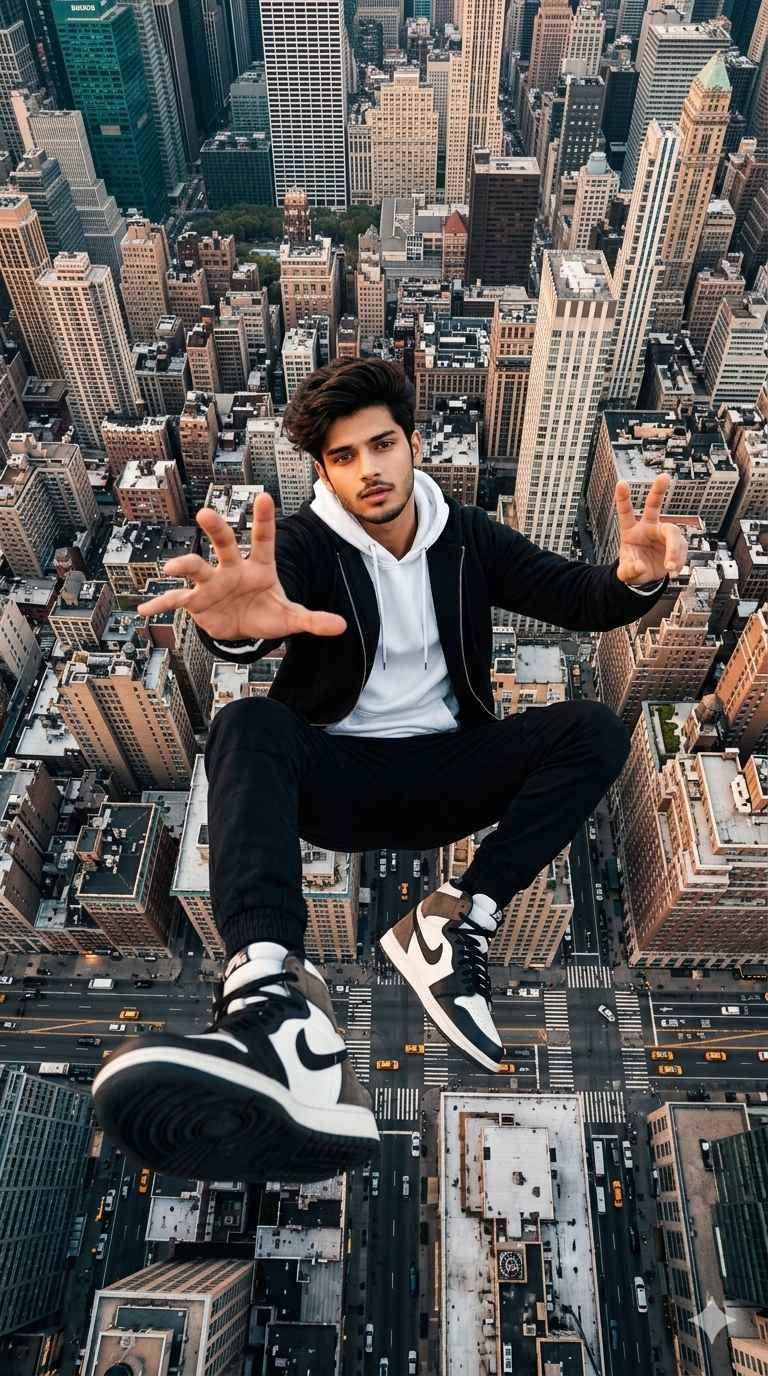
Create a 9:16 surreal cinematic photo of a real young man floating and squatting in mid-air directly above a dense city like New York, shot from directly above looking down at his face, both hands extended toward the camera — one open palm reaching out and one making a peace sign — wearing a black zip-up hoodie over a white hoodie underneath with black jogger pants and black and white Nike Air Jordan 1 high-top sneakers. The aerial city view below shows an enormous grid of skyscrapers, streets filled with yellow taxis and tiny cars, rooftops, and intersections. Ultra sharp face and upper body, shoes dramatically close to camera in foreground. Photorealistic composite. The face must be 100% identical to the face in the uploaded photo. Aspect ratio 9:16. Geminiaiphotoprompt.in
Premium Prompts Lounge


Photos that make you unforgettable.
Generate Unlimited Custom Photos with 300+ prompt templates.
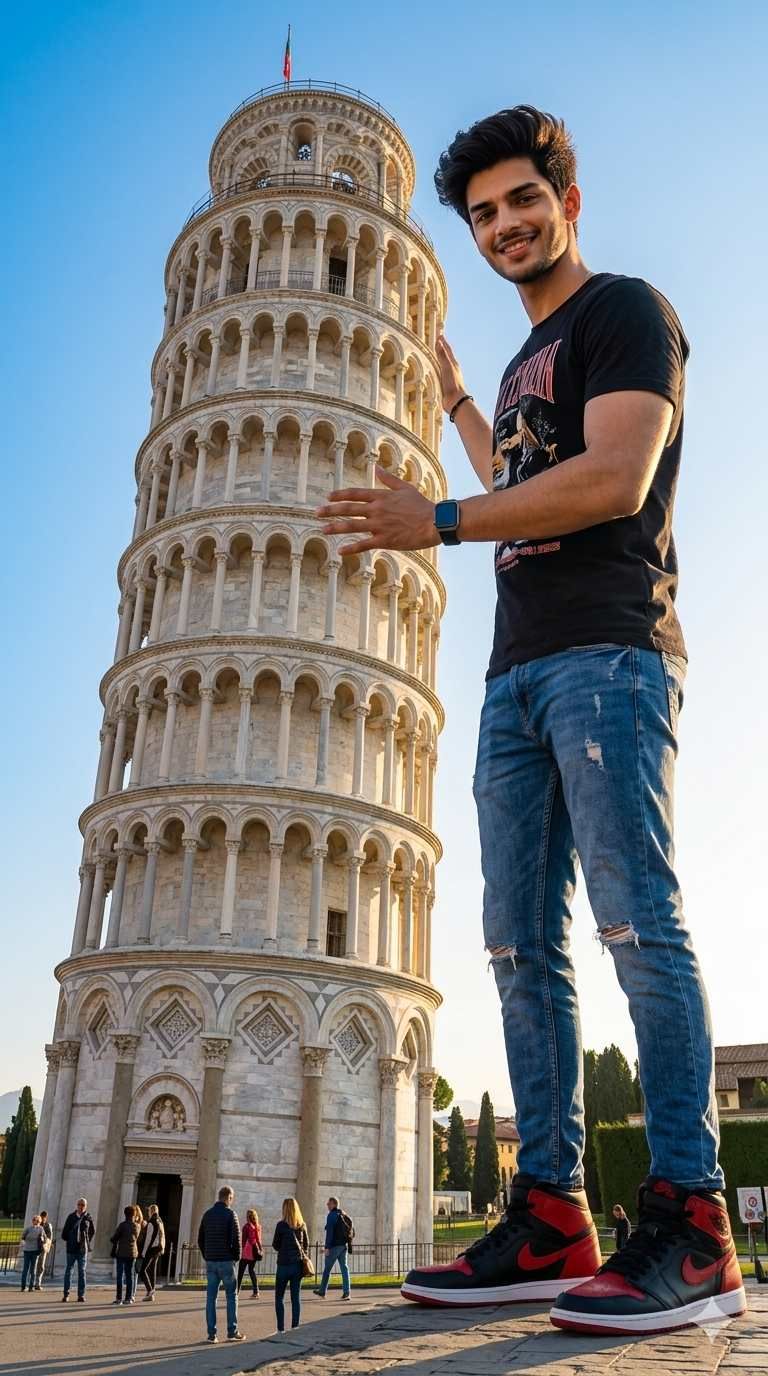
Create a 9:16 surreal cinematic photo of a real man appearing as a giant standing next to the Leaning Tower of Pisa in Italy, his body scaled to be as tall as the tower itself, one hand resting on the tower as if holding or straightening it, smiling confidently. He is wearing a black graphic t-shirt with blue ripped jeans and red and black Nike Air Jordan 1 high-top sneakers and a smartwatch on his wrist. Tiny real tourists are visible walking around at ground level far below him. Bright blue sky with warm golden hour sunlight. Perfectly realistic forced perspective composite making the man look enormous compared to the famous landmark. The face must be 100% identical to the face in the uploaded photo. Aspect ratio 9:16. Geminiaiphotoprompt.in
Premium Prompts Lounge


Photos that make you unforgettable.
Generate Unlimited Custom Photos with 300+ prompt templates.
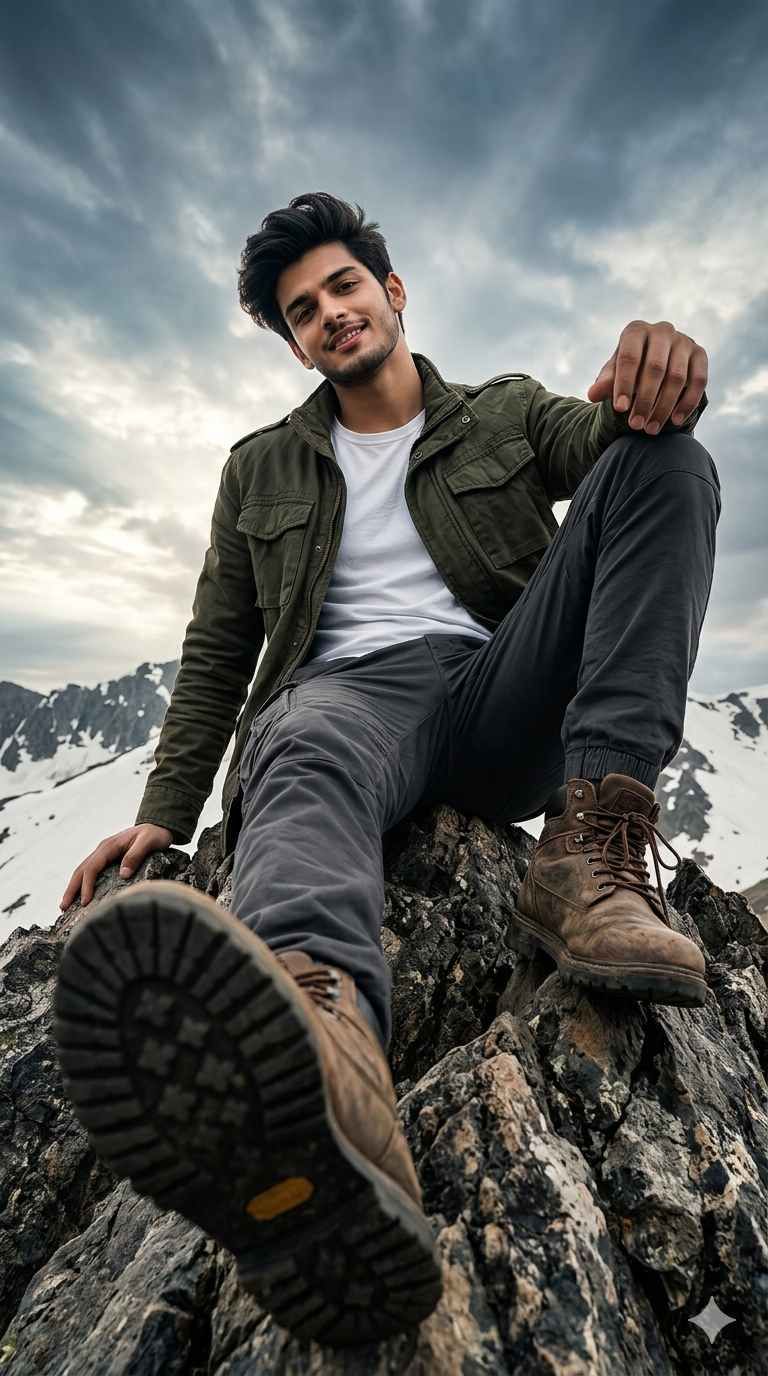
Create a 9:16 dramatic cinematic photo of a real young man sitting on the jagged rocky peak of a massive snow-covered mountain, shot from an extreme low angle worm's eye view looking up at him from below, one boot sole dramatically close and large in the foreground almost touching the camera lens, the other leg bent upward, leaning back casually with one hand resting on the rock. He is wearing a dark olive green military-style field jacket over a white t-shirt with dark grey cargo pants and worn brown leather hiking boots. Snow-capped mountain ridges and dramatic cloudy sky with rays of light visible behind him. Hyper-realistic, high detail, cinematic color grading. The face must be 100% identical to the face in the uploaded photo. Aspect ratio 9:16. Geminiaiphotoprompt.in
Premium Prompts Lounge